See what’s eating your disk space.
A fast, portable disk space analyzer for Windows. It scans a drive and shows results as they come in, not after.
Why
Explorer makes you wait. DiskScope doesn’t.
File Explorer only tells you a folder’s size after you click into it and wait on a properties dialog. DiskScope scans the whole drive in the background, lists results while it’s still scanning, and lets you search and delete without switching tools.
- Results appear within milliseconds and keep growing while the scan runs
- Portable, no install — copy the exe anywhere, nothing written outside its own settings file
- Search across the entire scanned tree, not just the current folder
- Three delete modes: Recycle Bin, permanent, secure overwrite
- Explicit confirmation before touching anything Windows itself depends on
- German and English, switchable at runtime — like this page
Features
Built so you don’t have to wait
Live results
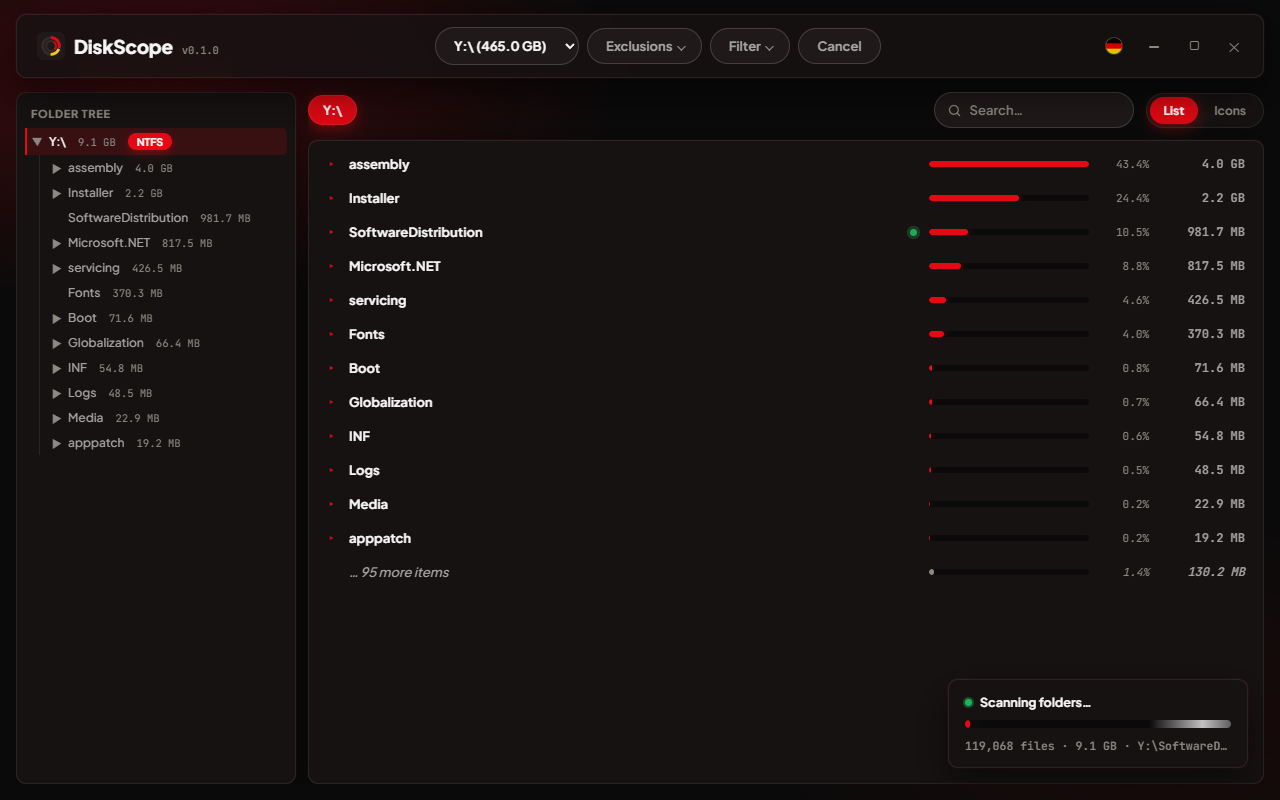
Every top-level folder appears the instant the scan starts, and its size grows as files are counted — a green dot marks folders still in progress. You can start reading, and even start deleting, before the whole drive finishes.
List and grid, tree-wide search
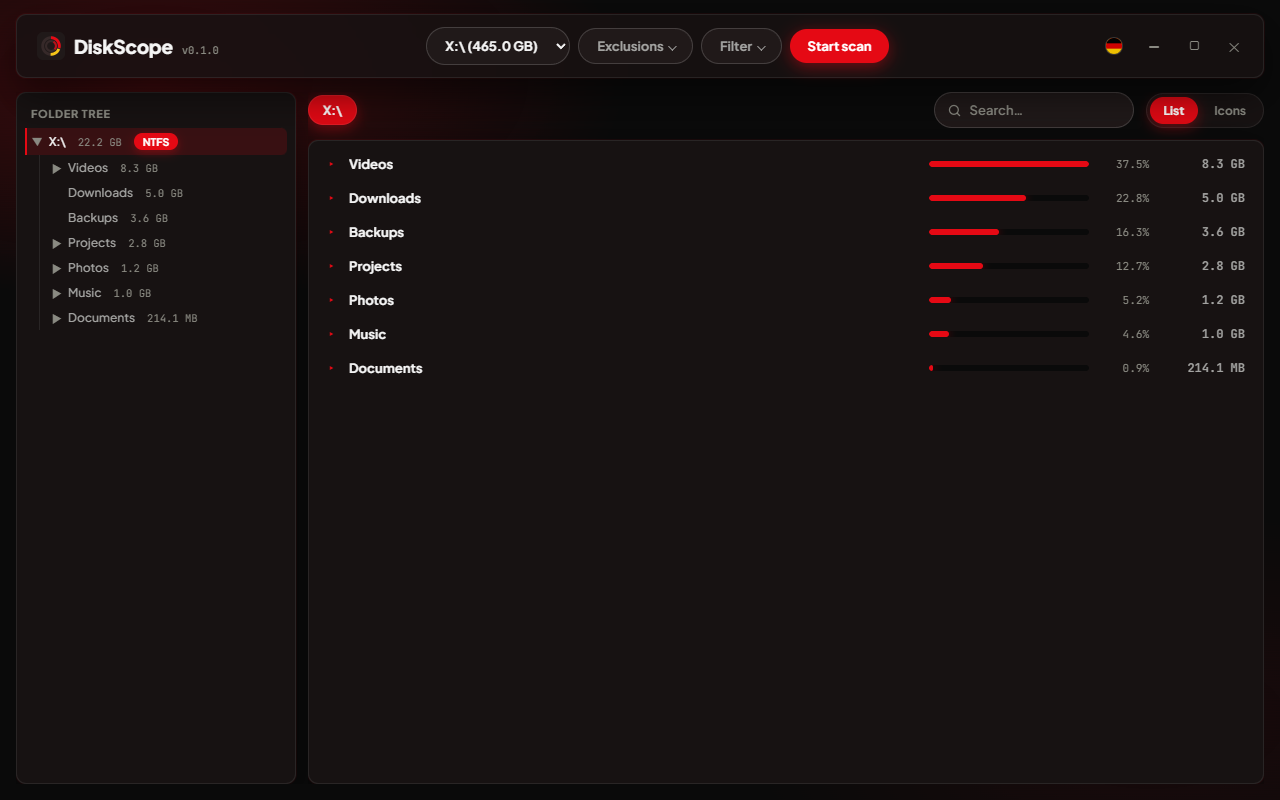
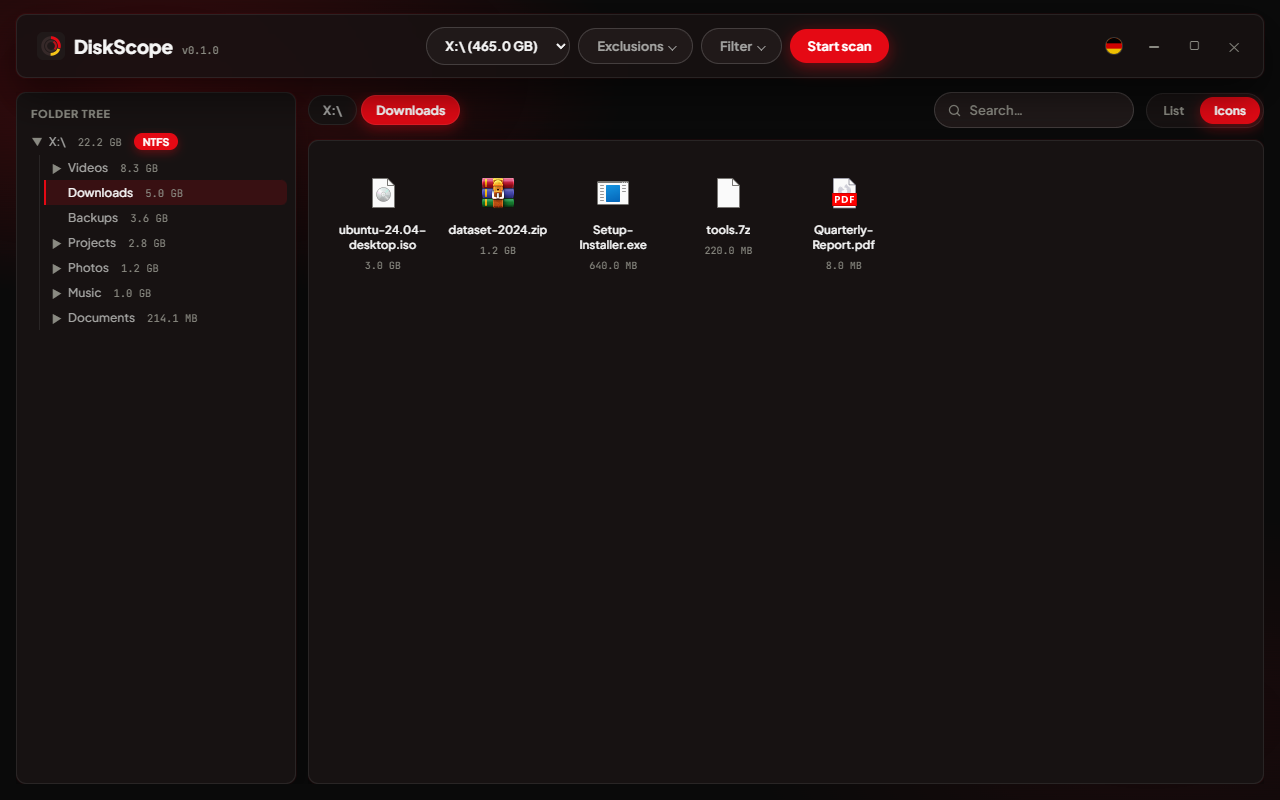
List view sorts by size with a bar, percentage and exact size per row — the view you want when deciding what to delete. Grid view shows real per-file-type icons. Search matches anywhere in the scanned tree, not just the current folder, and updates as you type.
Deletion with real safety
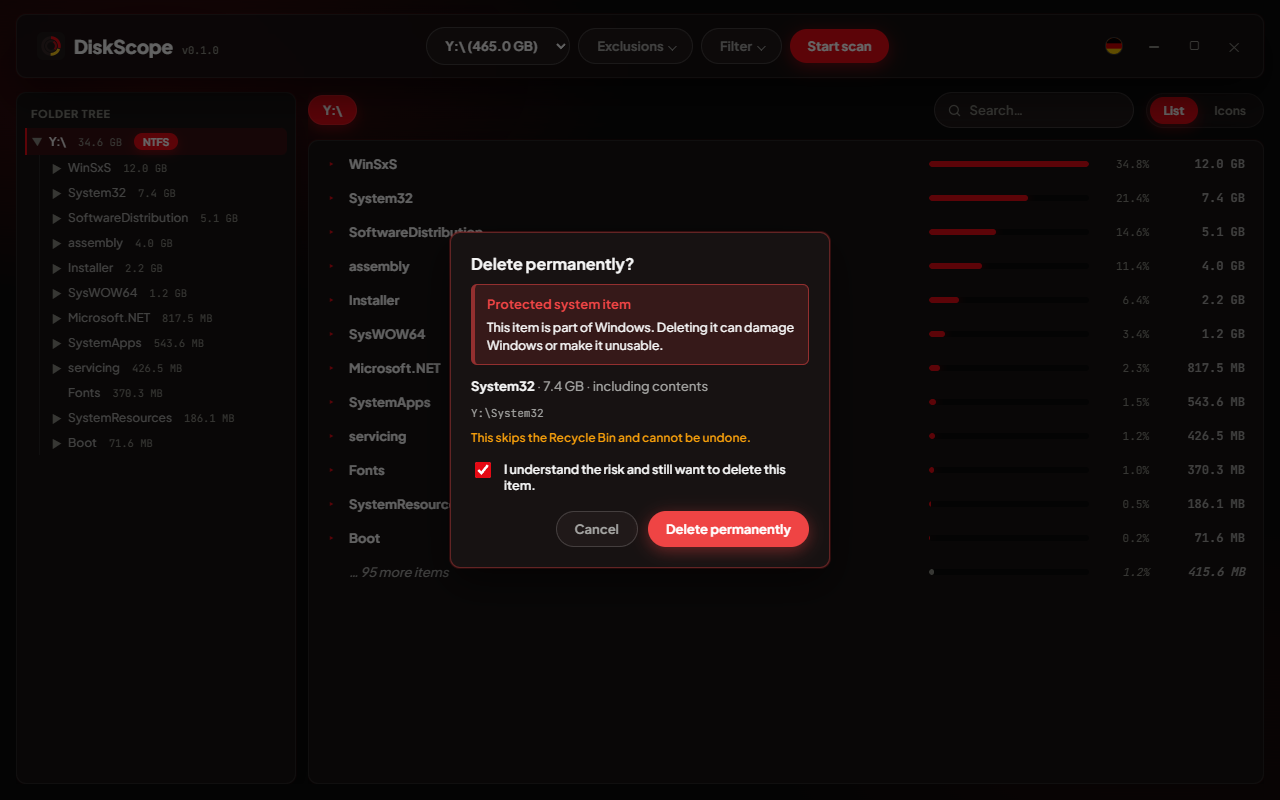
Deleting something inside the Windows folder, Program Files, a user profile, the page file or a registry hive shows exactly why it’s protected and requires an explicit acknowledgement before the delete button unlocks.
| Mode | Behavior |
|---|---|
| Recycle Bin | Recoverable, same as deleting in Explorer |
| Delete permanently | Skips the Recycle Bin |
| Secure delete | Overwrites with random data first (NIST SP 800-88 Rev. 1), refuses hard-linked files |
German and English
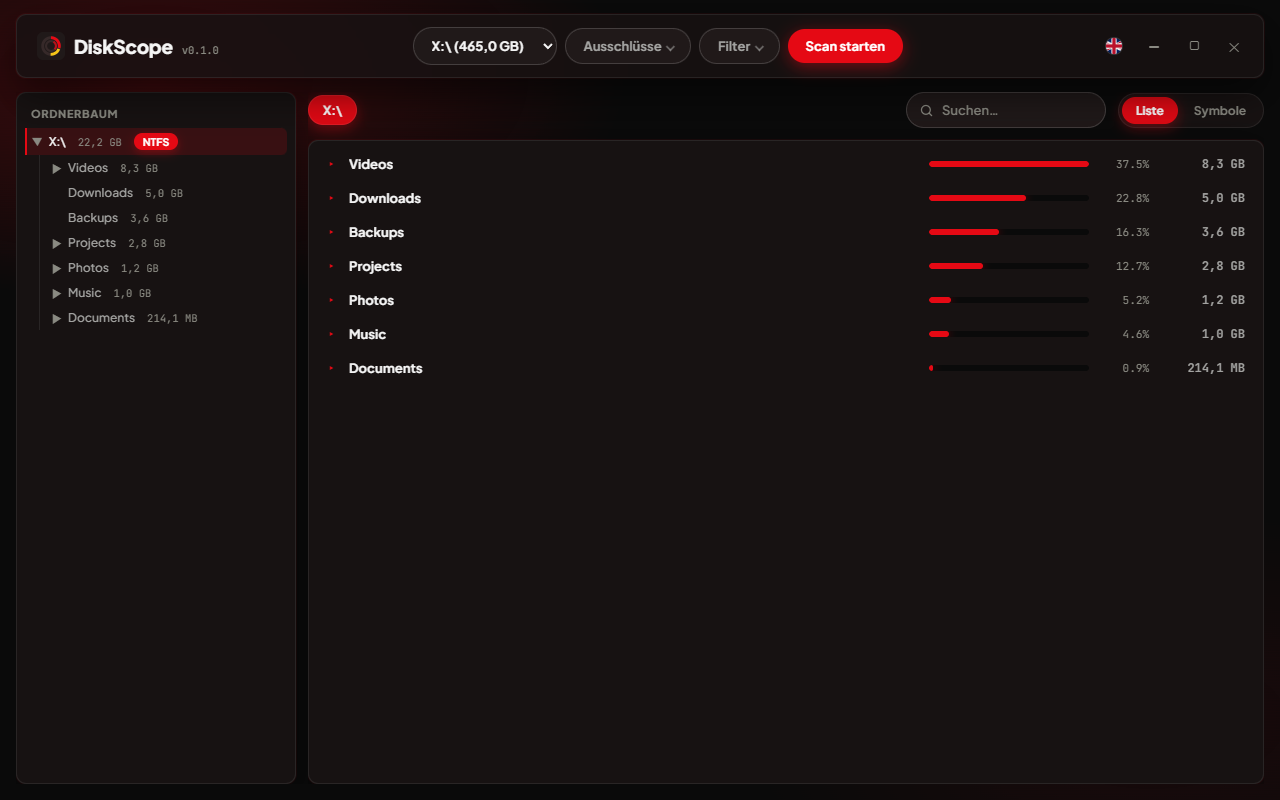
Every string — menus, dialogs, tooltips, down to the native system message boxes — exists in both languages. Switching re-renders the interface immediately, no restart.
Benchmarks
As fast as tools that do far less
Measured on an Intel Core i7-6700K with an NVMe/SATA SSD, three runs per tool, median shown. robocopy /L is the fastest realistic baseline on Windows — it only lists what it would copy, with no size aggregation or UI. DiskScope stays close to it while building a full, live, per-folder size breakdown.
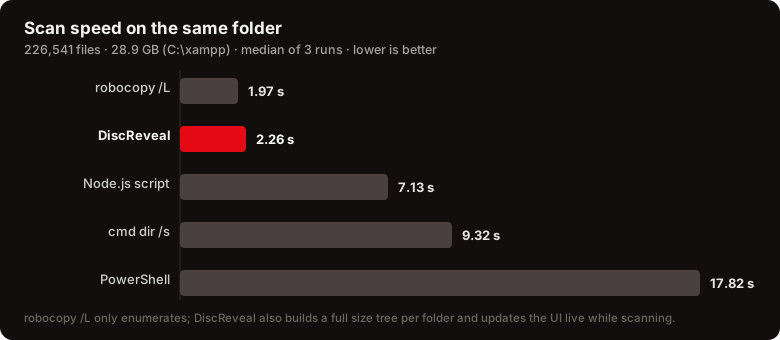
dir /s, about 8× faster than PowerShell’s Get-ChildItem -RecurseSecurity
A disk tool only needs to do one thing safely
- Scan root only
Delete and “open file” are checked against the folder that was actually scanned — nothing outside it, and not the root folder itself, is reachable.
- Windows is off-limits
The Windows folder, Program Files, ProgramData, every user profile, the Recycle Bin’s own metadata, the page file, the hibernation file and registry hives are recognized and require explicit confirmation.
- No accidental execution
Executables, scripts and shortcuts are never launched on double-click; DiskScope reveals them in Explorer instead.
- Locked-down webview
A strict Content Security Policy blocks any external request or inline script; the app makes zero network calls.
- No footprint
Settings live in one diskscope_settings.ini next to the exe — no installer, no registry entries, no background service, no auto-update.
- Rust at the boundary
Path validation, deletion and the file walker are written in Rust and covered by automated unit tests.
Download
Get DiskScope
A single portable executable. Download it, run it — nothing to install, nothing left behind.
DiskScope-Portable.exe
Download DiskScope All releases on GitHubGet-FileHash DiskScope-Portable-<version>.exe -Algorithm SHA256
- Operating system
- Windows 10 or 11, 64-bit
- Runtime
- Microsoft Edge WebView2 (preinstalled on virtually every current Windows machine)
- Download size
- ≈ 3.6 MB, single .exe
- Installation
- None — copy and run
Screenshots
What it looks like
FAQ
Frequently asked questions
Is DiskScope safe to use?
Yes. The source is public under GPL-3.0, the app makes zero network requests — a strict Content Security Policy blocks any external call — and nothing gets deleted without your confirmation. Windows may show a SmartScreen prompt on first run since the exe isn’t code-signed yet: click “More info → Run anyway”, or check the SHA-256 hash published with each release first.
Does DiskScope clean up junk automatically, or do I decide what goes?
You decide. DiskScope never deletes anything on its own — it shows you exactly what’s taking up space, sorted by size, and you pick what goes, folder by folder or file by file. No “safe to clean” guesswork happening behind your back.
What can I recover if I delete something by mistake?
Depends on the mode. Recycle Bin deletions are recoverable exactly like deleting in Explorer. Permanent and secure delete are not — secure delete overwrites the data first, so there’s nothing left to undelete.
Can I exclude folders from a scan?
Yes — add any folder to the exclusion list, or rely on the defaults. DiskScope already skips the common game-library folders (Steam, Epic, GOG, Riot, EA, Ubisoft, Xbox) out of the box, since those rarely need auditing.
Can I hide small files and folders I don’t care about?
Yes — set a minimum folder size in the filter menu and anything smaller stops cluttering the list. Its size still counts toward the parent folder’s total; it just isn’t listed as its own row.
Can I scan a USB or external drive?
Yes, any local drive with a letter, USB included. The scanner adapts its thread count to the drive type — fewer parallel reads on USB and spinning disks, more on NVMe/SSD — so it stays fast without overloading the drive.
How is this different from checking a folder’s properties in Explorer?
Explorer computes one folder’s size at a time, only when you ask. DiskScope scans an entire drive at once and shows every folder’s size while it’s still counting — a full picture in seconds instead of clicking through folders one by one.
Is DiskScope really free?
Yes — no cost, no ads, no telemetry, no account. GPL-3.0-or-later, so you’re also free to modify and redistribute it.
Is DiskScope portable?
Yes, completely. It’s one ≈ 3.6 MB exe with no installer — copy it to a USB stick, a cloud-synced folder, or another PC and just run it. It writes nothing but its own settings file next to itself: no registry entries, no background service, no scheduled tasks. Delete the exe and it’s gone, completely.
Ready to see where your space went?
Download DiskScope and scan your first drive in seconds.